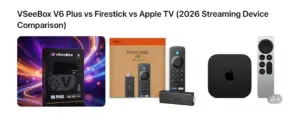



Streaming devices have become one of the most popular ways to watch television. Instead of relying on expensive cable subscriptions, millions of households now stream movies, sports, and live television through internet-connected devices.
One device that has gained significant popularity among cord-cutters is the VSeeBox V6 Plus. While most users know it as a convenient streaming box, many people are surprised to learn about the advanced features hidden inside the device.
If you already own a VSeeBox or are considering purchasing one, these features can dramatically improve your streaming experience.
Below are some of the most useful features that many owners don’t realize the device includes.
One of the most interesting capabilities of the VSeeBox V6 Plus is the ability to watch multiple channels at once.
This feature allows viewers to divide the screen and monitor multiple broadcasts simultaneously.
For example, users can:
• watch two sports games at the same time
• monitor news while watching another program
• switch between channels quickly
This feature is particularly popular among sports fans who want to follow multiple games simultaneously.
Many users don’t realize that the V6 Plus includes a 7-day playback feature.
This means you can go back and watch programs that aired earlier in the week without needing to record them.
Benefits include:
• replay missed shows
• rewatch sports games
• catch news segments you missed
This feature acts similarly to a DVR but without requiring additional equipment.
The VSeeBox V6 Plus includes a backlit Bluetooth remote.
This means the buttons illuminate when the remote is used, making it easier to control the device in low-light environments.
Other remote features include:
• Bluetooth connectivity
• quick navigation buttons
• voice command compatibility
Small improvements like this make a noticeable difference when watching TV at night.
The device is powered by a modern Amlogic processor designed for streaming performance.
Combined with 4GB of RAM and 64GB of internal storage, the VSeeBox V6 Plus delivers:
• fast menu navigation
• smooth video playback
• quick app loading
This allows the device to handle multiple applications without slowing down.
The VSeeBox V6 Plus supports high-resolution video formats, including 4K Ultra HD and 8K decoding.
This provides improved picture clarity and color detail compared with standard HD streaming.
For viewers with modern televisions, this feature ensures that streaming content looks sharp and vibrant.
Another powerful feature of the device is its Android operating system.
Because the device runs on Android, it supports a wide range of streaming applications and services.
Advantages include:
• compatibility with many streaming apps
• customizable interface
• regular software updates
This flexibility makes the device appealing to users who want more control over their entertainment setup.
Many streaming devices rely exclusively on WiFi. While WiFi works well in most homes, it can sometimes lead to buffering or unstable connections.
The VSeeBox V6 Plus includes a built-in Ethernet port, allowing users to connect directly to their router.
Advantages of Ethernet include:
• faster connection speeds
• reduced buffering
• more stable streaming during live broadcasts
For viewers who watch sports or live television, this can make a noticeable difference.
The VSeeBox V6 Plus also supports screen casting from smartphones and tablets.
This allows users to display mobile content on their television screen.
Examples include:
• sharing photos with family
• watching videos from a phone
• mirroring presentations
Screen casting can transform your TV into a larger display for mobile content.
Another feature many users overlook is external storage support.
The VSeeBox V6 Plus can connect to USB storage devices, allowing users to expand their available storage capacity.
This is useful for:
• storing media files
• expanding app storage
• playing video files directly from external drives
Expandable storage provides additional flexibility for users with large media libraries.
Perhaps the most appreciated feature of the device is how simple it is to install.
Most users can set up the VSeeBox V6 Plus in just a few minutes.
The basic installation process includes:
connect the device to your TV with HDMI
plug in the power cable
connect to WiFi or Ethernet
begin streaming
Because the setup process is straightforward, even users who are new to streaming technology can get started quickly.
Streaming devices are not all the same. While many products offer basic streaming capabilities, the VSeeBox V6 Plus includes features that improve performance, flexibility, and ease of use.
From split-screen viewing to Ethernet connectivity and high-resolution streaming support, these capabilities help create a more enjoyable entertainment experience.
For many cord-cutters looking to replace traditional cable television, devices like the VSeeBox V6 Plus provide a simple way to access movies, sports, and live programming through the internet.
For any other queries, please contact our online customer support agent or email info@vsee-box.com and we will get back to you as soon as possible.
Looking for an easier way to replace cable?
 Simple 5-minute setup Fast streaming performance Flexible entertainment options
Explore the vSeeBox V6 Plus today.